90+ Discord Bio Decorations to Copy & Paste (Symbols & Dividers)
Your About Me does not need more lore. Sometimes it just needs a little star, a clean divider, or a border that makes two lines look like an actual profile instead of a forgotten sticky note.
Here are 95 copyable Discord bio decorations and decorated layouts: symbols, arrows, short dividers, open-sided frames, tiny nameplates, and music-player accents. Start with a complete bio or grab individual pieces to decorate the one you already have. Every copy block is under Discord's 190-character About Me limit; leave room for your own text when combining them.
Want to see the result before saving? Use our Discord Bio Generator to edit a decorated bio, check its character count, and preview it on a Discord-style profile card.
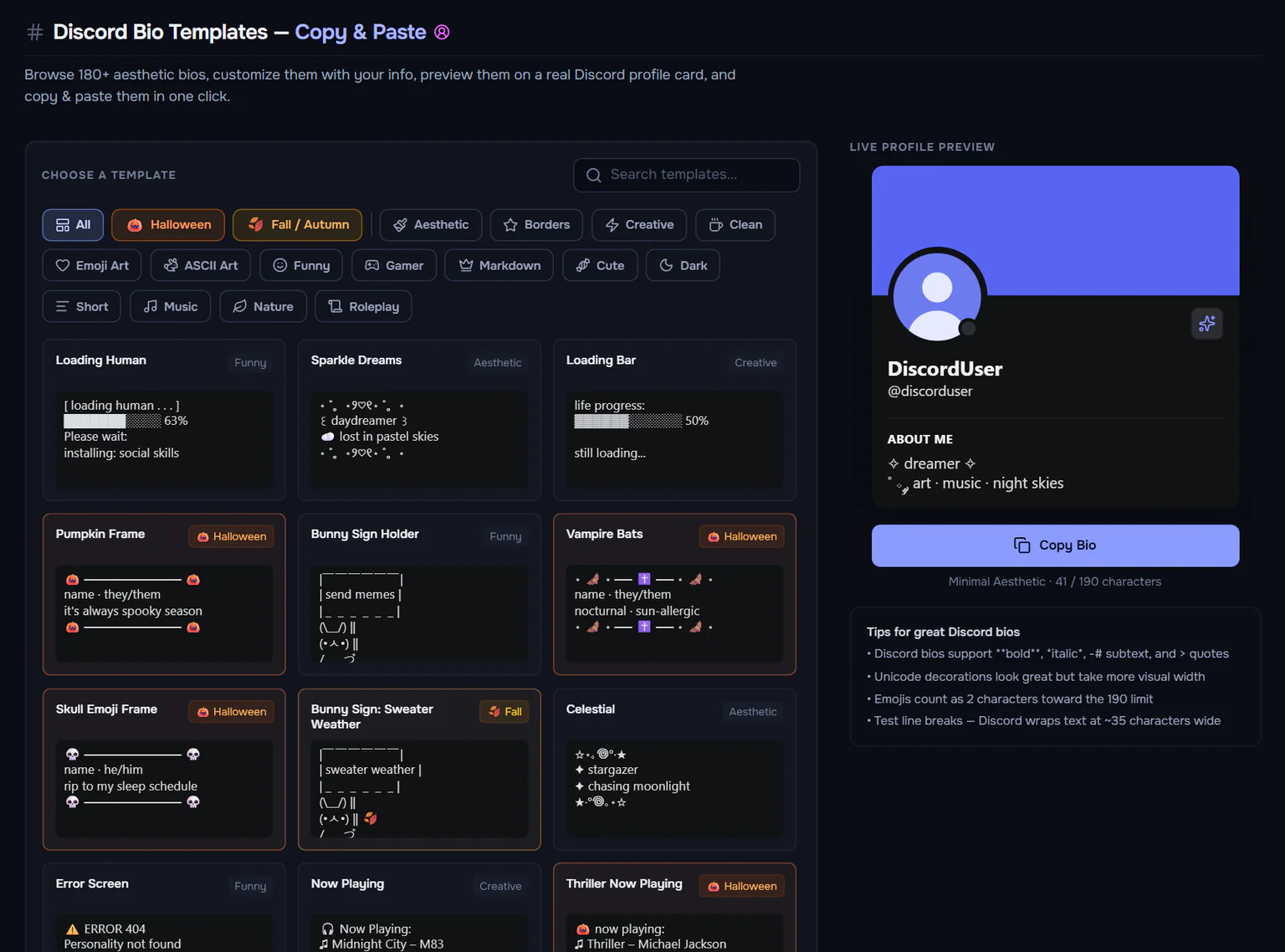
Start here: six ready-to-paste decorated bios
Dotted and open-sided frames keep getting copied in our bio gallery. These new layouts build on that idea: a small visual hook, readable personal details, and no right-hand wall to keep perfectly aligned.
┌─ ★ ABOUT ME
┊ name · they/them
┊ music on · dms slow
╰─ ─ ✦
Customize the star tab if you want editable name, pronoun, and bio fields.
୨୧ ── ♡ ── ୨୧
name · she/her
saving small joys
୨୧ ──────── ୨୧
Customize the ribbon divider. The text sits between two short accents rather than inside a rigid box.
⊹ ──〔 name 〕── ⊹
they/them · night owl
in orbit · replies slow
Customize the orbit nameplate. Good if you want the decoration around your name, not around the entire bio.
↳ name · he/they
  ↳ code · music · co-op
-# scenic route enjoyer
Customize the arrow trail. The -# prefix makes the final line Discord subtext; keep the space after the hash.
╭─〔 saved for later 〕
│ name · she/they
│ books, tea & quests
╰─ page 01
Customize the bookmark card. For the person whose personality is mostly unfinished books and one very specific mug.
⌁ ── ☾ ── ⌁
name · after hours
quiet bio, loud music
Customize the moon signal. One accent line is enough if your profile already has a busy banner.
Short Discord bio dividers
Copy a divider and put it above your name or between two sections. Most of these are deliberately short: a line that fills your desktop profile can wrap on a narrower phone screen.
Minimal lines and dots
The low-maintenance option. Pick one, not all eight.
── · ── · ──
┈┈ ∘ ┈┈
─ ⌁ ─ ⌁ ─
• ───── •
┄┄┄ ◦ ┄┄┄
═ ⋅ ═ ⋅ ═
﹏﹏ · ﹏﹏
┊ · ┊ · ┊
Stars, moons and celestial dividers
Use a single central symbol for a clean look, or little scattered stars for something dreamier. For complete celestial bios rather than loose decorations, see our aesthetic Discord bio templates.
✦ ── ⊹ ── ✦
⋆ ┈ ☆ ┈ ⋆
☾ · ── · ☽
⊹ ˚ · ✧ · ˚ ⊹
★ ━ · ━ ★
⋆。 ─ ✩ ─ 。⋆
✧ ∘ ┈┈ ∘ ✧
☽ ─ ⊹ ─ ☾
Hearts, bows and soft dividers
Text hearts stay small; emoji hearts draw more attention. A bow plus one heart usually does more than a whole row of both.
♡ ┈ ୨୧ ┈ ♡
୨୧ · ── · ୨୧
ʚ ♡ ┈ ♡ ɞ
꒰ ♡ ꒱ ─ ꒰ ♡ ꒱
❥ ─ · ─ ❥
˚ ♡ · ♡ ˚
୨ ┈ ♡ ┈ ୧
🎀 ┈ · ┈ 🎀
Dark, gothic and sharp dividers
These work as accents, not just Halloween decorations. Keep the rest of the bio plain so the symbols have something to contrast with.
† ━ ◇ ━ †
☾ ─ × ─ ☽
⌖ ━ · ━ ⌖
⛓ ┈ ◆ ┈ ⛓
◇ ═ × ═ ◇
⚔ ─ ⌁ ─ ⚔
╳ ── † ── ╳
☠ · ━━ · ☠
Nature, cozy and music dividers
Small enough to sit above a status line or a favorite track. The tea and leaf ones work year-round; you do not need to rebuild your profile every time the weather changes.
❀ ┈ · ┈ ❀
✿ ─ ∘ ─ ✿
🌿 · ─ · 🌿
☕ ┈ ♡ ┈ ☕
♫ ─ ⊹ ─ ♫
♪ · ━━ · ♪
▁▃▅▃▁ · ▁▃▅▃▁
♩ ┈ ◦ ┈ ♩
Small symbols to decorate your existing bio
Each block is a little palette, not a finished bio. Copy a group, then keep the one or two symbols you want. Ordinary Unicode symbols do not need Nitro or a special font generator.
Stars and sparkles
✦ ✧ ★ ☆ ⋆ ⊹ ✩
Hearts and soft accents
♡ ♥ ❥ ღ ୨୧ ʚ ɞ
Brackets for names
〔 〕 【 】 『 』 ꒰ ꒱
Tiny separators
· • ◦ ∘ ⋅ ┊ ┆
Moon and dark accents
☾ ☽ † × ◇ ◆ ⌖
Flowers and music notes
✿ ❀ ❁ ♪ ♫ ♩ ♬
Keep names and important information in normal letters. A couple of symbols are decorative; turning every word into fancy Unicode makes the bio harder to read and search.
Arrows and bullet points for bio lines
Copy a prefix, add a space if needed, and write your own detail after it. Arrows are useful when you want structure without a tall border.
↳
╰─➤
┊ ✦
▸
⤷
│ ♡
⌁ →
⋆ ›
Two or three lines with the same prefix feel intentional. Six different arrows look like your profile is giving directions to a hidden dungeon.
Open-sided borders that do not need perfect alignment
A closed text box only lines up when all its rows have matching rendered widths. Discord bio text is not a fixed-width art canvas, so these layouts leave the right edge open. Replace name and the details; you do not have to pad every line with spaces.
┌─〔 little intro 〕
│ name · they/them
│ tiny hobby collector
└─ come say hi
╭┈ ✿ ┈
┊ name · soft-spoken
┊ loud about my interests
╰┈ see you in vc
┏━ PROFILE / 01
┃ name · he/him
┃ still on the side quest
┗━ main quest postponed
╔═ my internet corner
║ name · she/they
║ drawing between pings
╚═ commissions: ask first
┌ · · · notes · · ·
┊ name · they/he
┊ finding new music
└ · · · send a song
╭─ ◇ field notes
│ name · explorer
│ new server, same hoodie
╰─ probably in the lounge
┍━ ✦ character details
┆ name · artist
┆ unfinished sketches
┕━ one will get finished
╭── ♡ tiny guestbook
┊ name · she/her
┊ leave a nice thought
╰── keeping the nice bits
If you prefer a tiny creature holding your message instead of a frame, our Discord bio ASCII art collection has cats, bunnies, and sign holders.
Mini nameplates and label decorations
For a profile that already has plenty going on. These are name-line starters: replace name, then add one short line about yourself underneath.
〔 name 〕 · chapter 01
✦ name / little universe
【 name 】 : online-ish
╭─ name ─╯
♡ name.exe ♡
⌖ name · checkpoint saved
『 name 』 / end credits
꒰ name ꒱ · one braincell
Music-player decorations and Now Playing layouts
Music widgets are a consistent favorite in our gallery. The trick is a tiny bit of interface: a track label, short progress bar, or repeat icon. These are text decorations, not live Spotify players; the song and timestamp do not update automatically.
♪ track of the day
song · artist
00:42 ━●──── 03:10
↺ staying here a while
╭─ ♫ headphones on
│ song — artist
│ ▁▂▄▂▁
╰─ pings can wait
〔 SIDE B 〕
name's rainy-day mix
◁  ▷  ↻
no skips, just soft noise
♪ ── favorites ── ♪
song · artist
-# send me your next song
◉ name · listening room
volume: ━━━●─
door open, headphones on
For more elaborate Spotify-style decks, fake status screens, and gamer HUDs, browse our cool Discord bios.
Dark and clean decorated bios
One sharp divider, one name line, one personal detail. The decoration is doing the work, so you do not need a dramatic paragraph underneath.
⌖ ── profile located ── ⌖
name · he/they
quiet until co-op
† ┈〔 name 〕┈ †
night shift · loud music
-# not a morning person
◇ name / status unknown
music: on
notifications: negotiable
☾ ── late login ──
name · they/them
one more song, then sleep
▸ name / no extra lore
code · coffee · company
┌─ session: name
│ mode: quietly existing
╰─ reconnect after snacks
Soft and cozy decorated bios
For anyone who likes warm drinks and quiet servers, with or without actual winter outside. For a full pastel or animal-themed profile, our cute Discord bios go further.
❀ ── small joys ── ❀
name · she/they
warm mug, cold hands
♡ name · blanket mode
quest: find the cat
╭─ ☕ staying in
│ name · they/them
│ tea before replies
╰─ room for a friend
✿ name's little corner
books open · dms off
-# keeping it cozy
Matching decorations for friends and couples
Copy each bio separately. These pairs share a visual theme without needing identical text. Replace friend with a name; typing a name here does not automatically create a Discord mention.
Same sky, different hours
☀ ──〔 name 〕── ☀
day shift · with friend
☾ ──〔 name 〕── ☾
night shift · w/ friend
Two halves of the same bookmark
୨ ── name
page one of our story
with friend ♡
name ── ୧
page two · still reading
with friend ♡
How to combine decorations without breaking your bio
Choose one main accent. A star divider plus two readable lines is a complete layout. Adding a box, three emoji rows, and a music player usually makes the bio harder to scan, not better.
Budget for the whole bio, not each piece. The 190-character limit includes your text, spaces, line breaks, and markdown. A divider may be short on its own, but repeating it above and below your details spends the budget twice. Our counter uses JavaScript string length, so many emoji occupy more than one unit.
Keep horizontal lines short. These decorations are compact starting points, not a guarantee that every font and phone renders them identically. If a line wraps, remove a few dashes or shorten the text. Preview again after replacing name with a longer display name.
Skip invisible padding. Right-edge alignment based on a trail of spaces is fragile. Prefer an open-sided frame, a divider, or a nameplate. Do not add invisible characters just to force a box to line up.
Use Unicode for decoration, markdown for emphasis. Characters like ✦ and ♡ are ordinary text. For bold, italics, or subtext, use Discord's own syntax; our Discord bio formatting guide explains what works in About Me.
How to add decorations to your Discord bio
- Copy a complete layout or a decoration from this page.
- In Discord, open User Settings → Profiles and find About Me in your user profile.
- Paste it, replace the sample name and details, and check the result.
- Save your changes. Check the profile on mobile too if you used a multi-line border.
If you are assembling several pieces, do it in the bio generator first so you can see the count and wrapping while you edit.
Frequently asked questions
How do I get symbols for my Discord bio?
Copy ordinary Unicode symbols from the palettes above and paste them into About Me. They are text, not uploaded images. You can use one as a bullet, put it beside your name, or combine it with a short divider.
Do Discord bio decorations need Nitro?
Plain text symbols, box-drawing characters, and standard Unicode emoji do not require Nitro. Custom server emoji and other paid profile features are separate; these layouts do not depend on them.
Why does my border look crooked on Discord?
Different letters, symbols, and emoji can have different rendered widths. A narrow profile card can also wrap a long line. Short dividers and open-sided borders avoid depending on a perfectly aligned right edge.
Can I use these decorations outside Discord?
The plain-text symbols and dividers can be pasted into other apps that accept them. Character limits, fonts, and line breaks differ between platforms. Discord markdown such as -# may appear as literal text elsewhere, so remove it if the app does not support it.
Does a Now Playing decoration update with Spotify?
No. A copied music bio is static text. Edit the song and time yourself, or use Discord's Spotify connection if you want a real listening activity instead of a decorative About Me layout.
Are these full bios or just decoration pieces?
Both. The opening examples and themed layouts are complete bios with sample details. Dividers, symbol palettes, arrows, and nameplates are pieces for your existing bio. Pick what you need rather than pasting an entire section.
Want a joke inside the frame? Browse our funny Discord bios. Want a little creature instead of a border? Try our small ASCII art bios. Or open the Discord Bio Generator to customize a border template and copy the finished profile.